
Git Tool Integration Prerequisites
Before creating or linking Git repositories in Nectar, a one-time setup is required.
This ensures that repositories can be seamlessly created and assigned to projects.
1. Git Provider
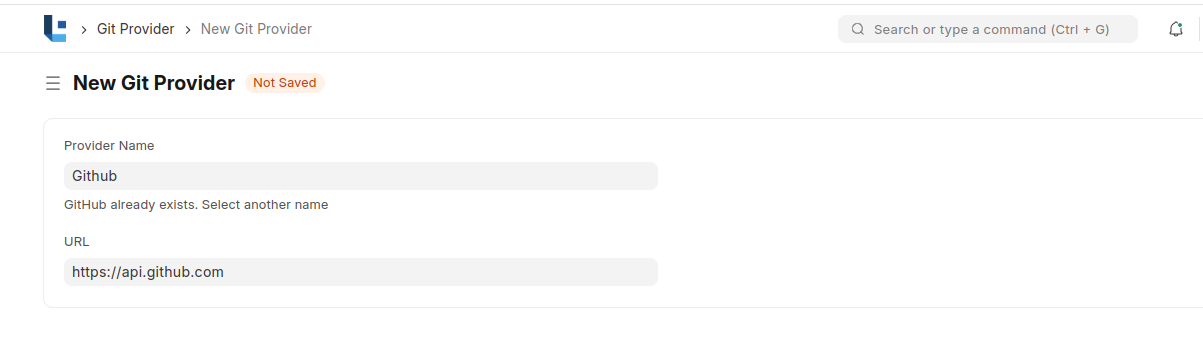
The Git Provider doctype stores the list of supported providers such as GitHub or GitLab.
Steps to configure:
- Navigate to Git Provider List in Nectar.
- Click Add Git Provider.
- Enter:
- Provider Name (e.g., GitHub)
- API Endpoint URL (e.g.,
https://api.github.com)
2. Git Organization
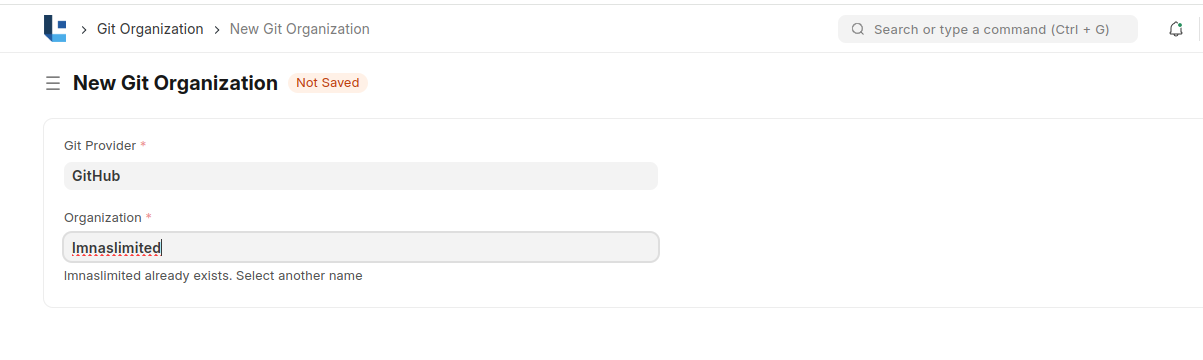
The Git Organization doctype stores organizations under a given provider.
Steps to configure:
- Navigate to Git Organization in Nectar.
- Click Add Git Organization.
- Enter:
- Organization Name (e.g.,
my-org) - Provider (select from configured Git Providers)
- Organization Name (e.g.,
3. Git User
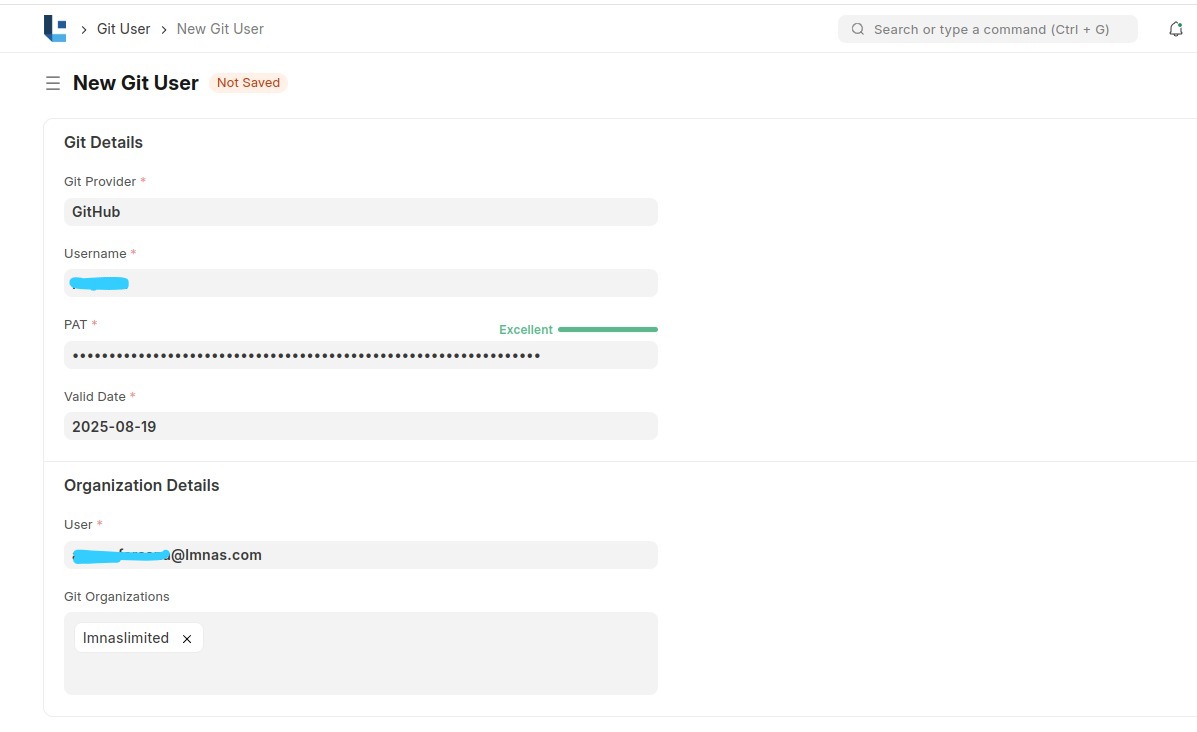
The Git User doctype stores Git account details such as Personal Access Token (PAT) and the organizations they belong to.
Project or Product Owners must configure their Git User in Nectar to create or link repositories.
Steps to configure:
- Navigate to Git User List in Nectar.
- Click Add Git User.
- Enter:
- Git Provider (e.g., GitHub)
- Personal Access Token (PAT) and its validity
- Username / Email
- Associated Organizations
Once these three prerequisites (Provider → Organization → User) are set, repositories can be created and linked to projects directly from Nectar.